Announcement
Your empire now has a public profile page
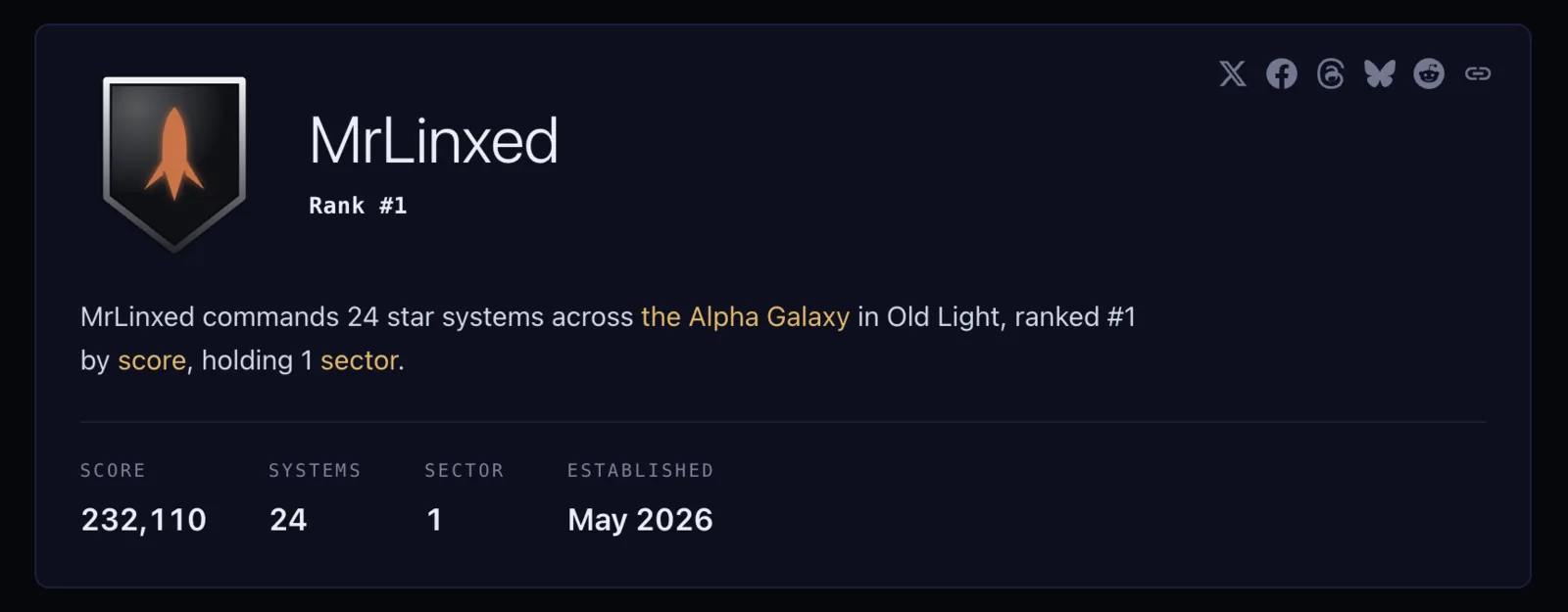
Old Light empires have their own profile pages on the web now. Find yours. Nobody needs an account to read one, and the empire names on the leaderboard and the galaxy map link straight through to them.
What your profile page shows#
Your crest at the top, with your rank and score beside it, then the systems you hold and any sectors you control with the bonus each one gives. The rank comes from what the empire has built, not an Elo-style rating. Below that, a map of your territory in your own banner colour against the rest of the galaxy in grey.
What you have built on a system stays off it, so anyone who wants that still has to send a probe.
Your profile page appears once your email is verified and you hold two systems, as long as you have played in the last month.
Every system, by name#
All of your systems are listed with their scores, strongest first. The first 48 show and a toggle opens the rest.
Lost a system in a fight? Its name is on the page of whichever empire holds it now.
The empires you border#
Below the systems, the empires nearest you, each one linking to its own page. Anyone holding a system within ten hexes of your border counts, anywhere around your territory, and the twelve nearest of them get listed. Because distance is measured the same way from either side, empires that genuinely border each other usually turn up on each other's page.
You can follow the links from one empire to the next across the galaxy.
Sharing your profile page#
There are buttons at the top for X, Facebook, Threads, Bluesky and Reddit, plus a copy-link button. Each one opens a post already written with your empire's name and where it stands. Paste the link somewhere that unfurls previews and you get a card with your crest on it.
Sharing your own page while logged in switches the wording to the first person and adds your invite code, so whoever signs up through it lands in the same galaxy you play in.
Hiding your profile page#
Open Settings, find Public profile, and switch on "Hide my public profile". The page stops being served, and the links to it from other empires' pages go with it. Turning the switch back off puts it back. Search engines and social sites that already cached the page may keep showing their copy for a while, which is out of our hands.
New here? The beginner's guide covers your first few days.
