
Announcement
See the whole galaxy: Old Light's in-game map and search
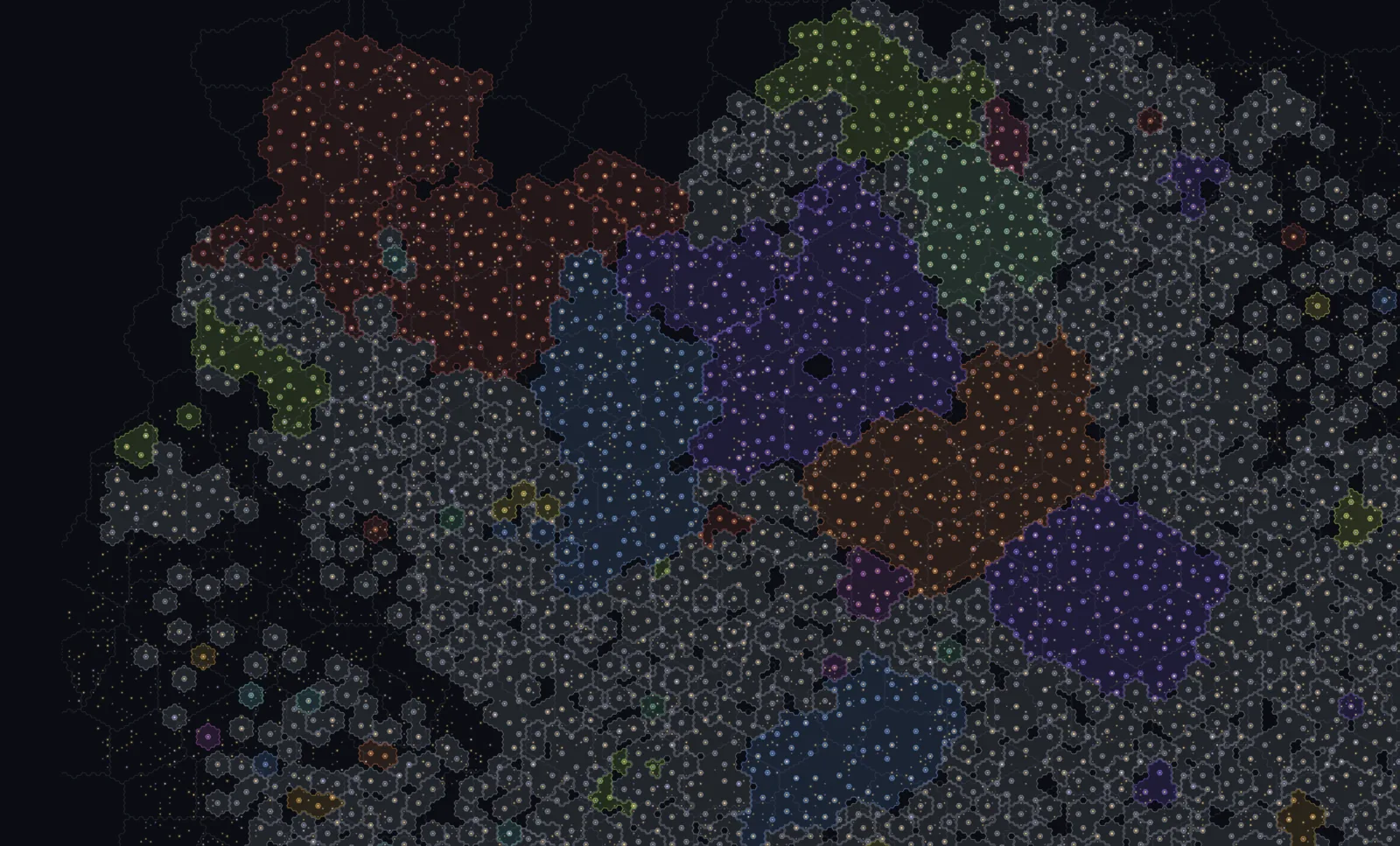
Old Light always had a public galaxy map on the website, but you could not open it from inside the game. Now you can, and it searches.
Open the galaxy map from inside the game#
Inside the game you could pan around the tilted view, but there was no way to see the whole galaxy laid flat without leaving. I added a Galaxy button to the top bar, or you can press G, and it opens the whole galaxy in a window. Clicking any system jumps your camera there. Ownership and borders are public, so you are looking at the same galaxy every other player sees.
Search the galaxy by name or coordinate#
Start typing and suggestions come up for empires and sectors by name, or type a system's coordinates. Move through them with the arrow keys and hit Enter, or click one, and the map frames it. Press S while the map is open to jump to the search box. The public map at oldlight.io/galaxy/alpha/map works the same way.
Smaller changes#
The empire list at the bottom of the public map is clickable now, so you can jump to any of them without typing. Whatever you pick flashes for a second so you can spot it. And a new player opening the map starts framed on their own space instead of the whole galaxy.
If you are new, the beginner's guide covers your first days.
